
For Windows
Your PC's sound, on every speaker at once.
AV Mirror plays what your PC is playing through several speakers together, and keeps them in step. Bluetooth, HDMI, USB and optical outputs all work side by side.
Works on Windows 10 (version 2004) and Windows 11.
What it does
Every speaker, playing together
Windows sends sound to one output at a time. AV Mirror copies what is playing to the speakers you choose, so your whole setup sounds like one system.
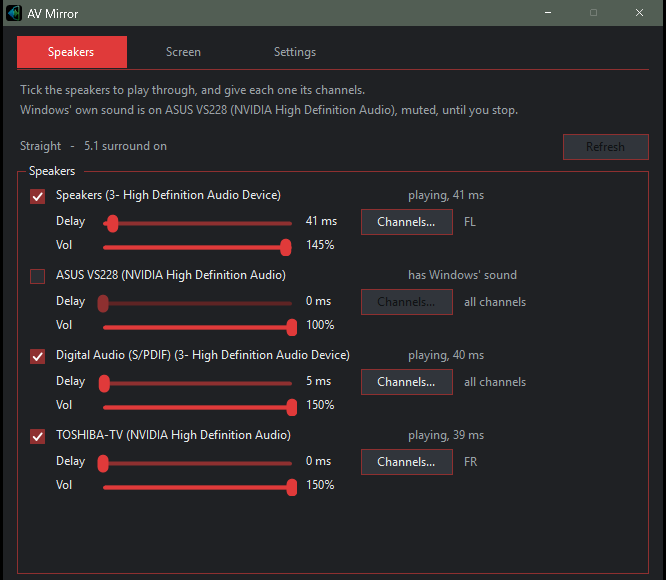
Several speakers at once
Choose any combination of outputs Windows can see, including Bluetooth, HDMI, USB and optical.
Lined up in step
Give each speaker its own delay, so a slower Bluetooth speaker keeps pace with a wired one.
Volume and channels
Set each speaker's volume separately, and send left, right or other channels to whichever speaker you like.
One window
Pick speakers, adjust volume and delay, and start or stop mirroring from the same place.
Phone app
A companion app will let your phone control the speakers from the couch, and show your phone's screen on your PC. Both are still being finished, so they aren't part of the Store version yet.
Privacy
Nothing leaves your PC
AV Mirror does not record audio and does not connect to the internet. Nothing it plays or hears leaves your PC.
Support
Questions and ideas
Bug reports, questions and suggestions all welcome.